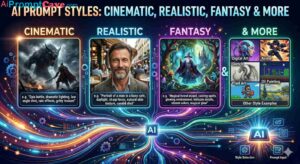
Artificial intelligence has transformed digital creativity, making it possible to generate breathtaking visuals, cinematic scenes, realistic portraits, fantasy worlds, and premium product advertisements in seconds. Yet despite the incredible capabilities of modern AI image generators, many creators still struggle with frustrating issues:
Extra fingers
Distorted anatomy
Blurry faces
Strange backgrounds
Random unwanted objects
Text artifacts
Low-quality rendering
Incorrect styles
You may spend time crafting what seems like a perfect prompt, only for the final image to include weird distortions or visual inconsistencies.
The good news?
There is a powerful solution that many beginners ignore:
Negative prompts.
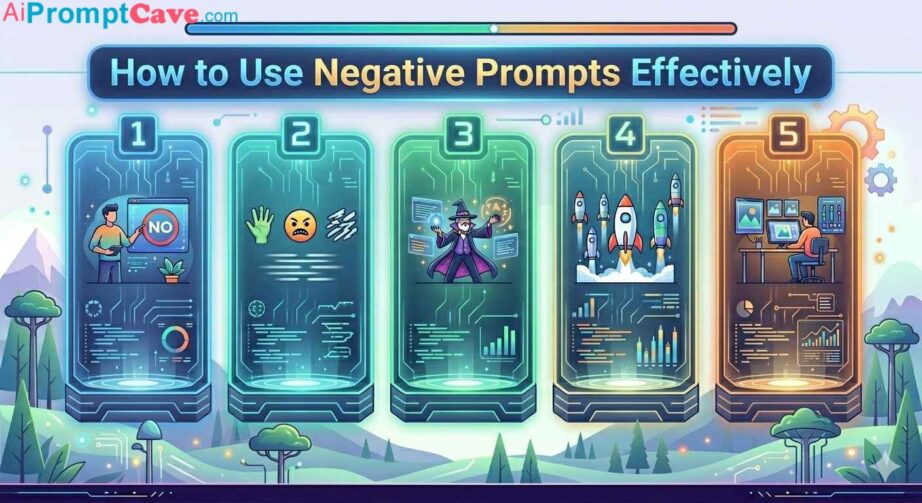
Negative prompts help you tell AI what NOT to generate.
Think of them as creative boundaries. While your main prompt explains what you want, negative prompts eliminate what you don’t want.
When used correctly, negative prompts dramatically improve:
realism
consistency
composition
image cleanliness
anatomical accuracy
visual quality
In this complete guide, you’ll learn how to use negative prompts effectively, avoid common mistakes, and dramatically improve AI image results.
What Are Negative Prompts?
A negative prompt is an instruction that tells AI which elements to avoid generating.
Instead of saying:
“Add this”
you say:
“Do not include this.”
Negative prompts reduce unwanted randomness and visual errors.
Example
Main prompt:
“A realistic portrait of a man”
Without negative prompts, AI might create:
blurry skin
distorted ears
strange fingers
odd backgrounds
With negative prompts:
“No blur, no bad anatomy, no extra fingers, no distortion”
The image quality often improves significantly.
Why Negative Prompts Matter
AI models predict visuals based on probabilities.
If your prompt is vague, the system may invent strange details.
Negative prompts act like filters.
They help remove:
visual noise
mistakes
low-quality details
inconsistent styling
Think of it like editing instructions for an art director.
You are saying:
“Create this image—but avoid these problems.”
How Negative Prompts Work
AI image generators balance:
Positive Instructions
What you want.
Negative Instructions
What you want removed.
Example:
Positive Prompt
“Luxury perfume bottle on reflective black marble, cinematic lighting”
Negative Prompt
“No blur, no low quality, no distortion, no watermark”
This creates cleaner results.
The Most Common Problems Negative Prompts Solve
1. Anatomy Problems
AI often struggles with:
hands
fingers
arms
body proportions
Negative Prompt Example
no extra fingers, no deformed hands, no broken anatomy, no fused fingers
Especially useful for portraits.
2. Blurry Images
Sometimes outputs lack sharpness.
Negative Prompt Example
no blur, no soft focus, no low resolution
This improves clarity.
3. Text & Watermark Artifacts
AI frequently generates fake symbols or broken text.
Negative Prompt Example
no watermark, no text, no signature, no logo
Very important for clean visuals.
4. Low-Quality Rendering
Some images look cheap or unfinished.
Negative Prompt Example
no low quality, no pixelation, no poor rendering
5. Cluttered Composition
AI sometimes overloads scenes.
Negative Prompt Example
no clutter, no messy composition, no overcrowded elements
Great for luxury visuals.
6. Wrong Artistic Style
AI occasionally drifts into unwanted styles.
Example problem: You want realism but get cartoon aesthetics.
Negative Prompt Example
no cartoon, no anime, no illustration
Basic Negative Prompt Formula
A simple beginner formula:
no blur, no distortion, no bad anatomy, no low quality
This already improves many images.
Negative Prompts for Portraits
Portraits benefit heavily from negative prompting.
Common Problems
bad skin
strange eyes
deformed faces
hand errors
Recommended Negative Prompt
no extra fingers, no bad anatomy, no deformed face, no asymmetrical eyes, no blur, no low quality
Negative Prompts for Product Photography
Products require precision.
Common Problems
deformed products
warped packaging
cluttered backgrounds
Recommended Negative Prompt
no distortion, no warped product, no messy background, no blur, no text, no watermark
Especially useful for ecommerce.
Negative Prompts for Food Photography
Food images sometimes look unrealistic.
Common Problems
fake textures
plastic appearance
messy composition
Recommended Negative Prompt
no plastic texture, no blur, no artificial appearance, no oversaturated colors
Negative Prompts for Realistic Images
If you want realism:
Avoid:
cartoon
illustration
painting
Example:
no cartoon, no anime, no CGI, no unrealistic proportions
Negative Prompts for Fantasy Images
Fantasy still needs control.
Example: You want magic—not visual chaos.
Example:
no clutter, no low detail, no distorted anatomy
Negative Prompts for Luxury Advertising
Luxury aesthetics require cleanliness.
Recommended:
no cheap appearance, no clutter, no oversaturation, no low quality
Luxury visuals should feel refined.
Strong Negative Prompt Categories
Quality Control
Use:
no low quality
no blur
no pixelation
no artifacts
Anatomy Control
Use:
no extra fingers
no fused hands
no broken anatomy
no distorted limbs
Style Control
Use:
no cartoon
no anime
no sketch
no painting
Composition Control
Use:
no clutter
no messy background
no chaotic composition
Text Control
Use:
no watermark
no text
no logo
no signature
Lighting Control
Avoid weak lighting.
Example:
no flat lighting, no overexposure
Before & After Example
Weak Prompt
“A luxury watch”
Possible issues:
weird reflections
blur
poor realism
Better Prompt
“Luxury gold watch, cinematic studio lighting”
Improved—but still risky.
Strong Prompt with Negative Prompt
Main Prompt
“Luxury gold watch on black reflective marble, cinematic studio lighting, ultra-detailed”
Negative Prompt
“No blur, no distortion, no low quality, no watermark, no clutter”
Much cleaner result.
Why Too Many Negative Prompts Can Hurt
Beginners sometimes overload prompts.
Bad Example:
no blur, no hands, no shadows, no background, no detail, no color, no lighting
Too restrictive.
AI may struggle.
Negative prompts should improve—not suffocate creativity.
Best Practice: Focus on Real Problems
Ask yourself:
What mistakes usually happen?
Then target those problems.
For example:
Portrait Problems
Use anatomy negatives.
Product Problems
Use distortion negatives.
Food Problems
Use texture negatives.
Universal Negative Prompt Template
A solid all-purpose negative prompt:
no blur, no distortion, no low quality, no bad anatomy, no watermark, no text, no messy composition
Works well in many situations.
Advanced Negative Prompting
Professional users refine negative prompts by category.
Realistic Portrait Example
Positive Prompt
“Hyper-realistic portrait of a businessman in cinematic lighting”
Negative Prompt
“No extra fingers, no deformed face, no asymmetrical eyes, no blur, no low quality”
Product Photography Example
Positive Prompt
“Luxury perfume bottle on reflective marble”
Negative Prompt
“No warped bottle, no clutter, no bad reflections, no blur”
Fashion Example
Positive Prompt
“Luxury fashion editorial portrait”
Negative Prompt
“No awkward pose, no bad anatomy, no distortion”
Common Negative Prompt Mistakes
1. Being Too Generic
Bad:
bad quality
Too vague.
Better:
no blur, no low resolution
2. Contradicting the Main Prompt
Bad: Positive:
dramatic shadows
Negative:
no shadows
Conflicting instructions confuse AI.
3. Using Too Many Restrictions
Too many negatives can flatten creativity.
Balance matters.
4. Ignoring Model Differences
Different AI tools respond differently.
Test variations.
Prompt Formula for Better Control
A strong formula:
Positive Prompt
Subject + Style + Lighting + Mood + Quality
Negative Prompt
Mistakes to avoid
Example:
Positive
“Luxury cinematic sports car at sunset”
Negative
“No blur, no distortion, no low quality, no clutter”
Do Negative Prompts Always Work?
Not always.
AI is still probabilistic.
But negative prompts dramatically improve:
consistency
cleanliness
realism
predictability
Think of them as optimization tools.
The Future of Negative Prompting
Future AI systems may:
auto-fix anatomy
remove artifacts automatically
intelligently optimize outputs
But prompt engineering will still matter.
Knowing how to guide AI effectively will remain valuable.
Final Thoughts
Negative prompts are one of the most powerful—but underrated—tools in AI image generation.
They help transform random, inconsistent visuals into polished, professional-quality images.
Remember:
Positive prompts tell AI what to create. Negative prompts tell AI what to avoid.
The best results come from balancing both.
Instead of fighting unwanted mistakes after generation…
prevent them before the image is created.
Master negative prompts, and you’ll gain dramatically better control over:
realism
anatomy
composition
image cleanliness
professional visual quality
Small prompt changes can create massive improvements.
And sometimes, what you remove matters just as much as what you add.